Quick answer
No. Microsoft 365 Copilot in PowerPoint works with PowerPoint's own content: Microsoft says it can restyle and refill native shapes, tables and charts but not embedded objects, and no Microsoft page says it can operate think-cell or any third-party add-in. Four routes do end in a think-cell chart: thinkcell Assist (think-cell's own AI, with its AI Suite packages), a think-cell chart linked to an Excel range that Copilot in Excel prepares, a .ppttc data file that fills named charts in a template, and Claude for PowerPoint with a think-cell connector.
In this article
Your firm pays for Microsoft 365 Copilot and for think-cell. Both sit in the same PowerPoint ribbon. It is reasonable to expect that you can ask Copilot for a waterfall and get a think-cell chart. You cannot, and it helps to know why before you spend an afternoon trying different prompts.
This guide gives the direct answer, explains what Copilot does produce when you ask for a chart, and sets out four routes that do end in a genuine think-cell chart, including two that keep Copilot in the workflow.
Independent guide by XLSlides, not affiliated with Microsoft, think-cell or Anthropic. Checked against Microsoft's and think-cell's own documentation on 29 November 2026. Copilot changes often, so check the linked pages if you read this later.
Can Copilot make think-cell charts?
No. Microsoft 365 Copilot in PowerPoint works with PowerPoint's own content. Microsoft's guidance for template authors says Copilot can restyle and refill native PowerPoint shapes, tables and charts, but not embedded objects, and it advises replacing embedded objects and pictures of tables or charts with editable PowerPoint ones. We found no Microsoft page that says Copilot can operate think-cell or any other third-party add-in.
think-cell's side says the same thing from the other direction. Its programming interface is a Windows COM interface for VBA and C#, and think-cell's manual states that it cannot be used from Office web add-ins. There is no connector from think-cell that lets an outside assistant drive it.
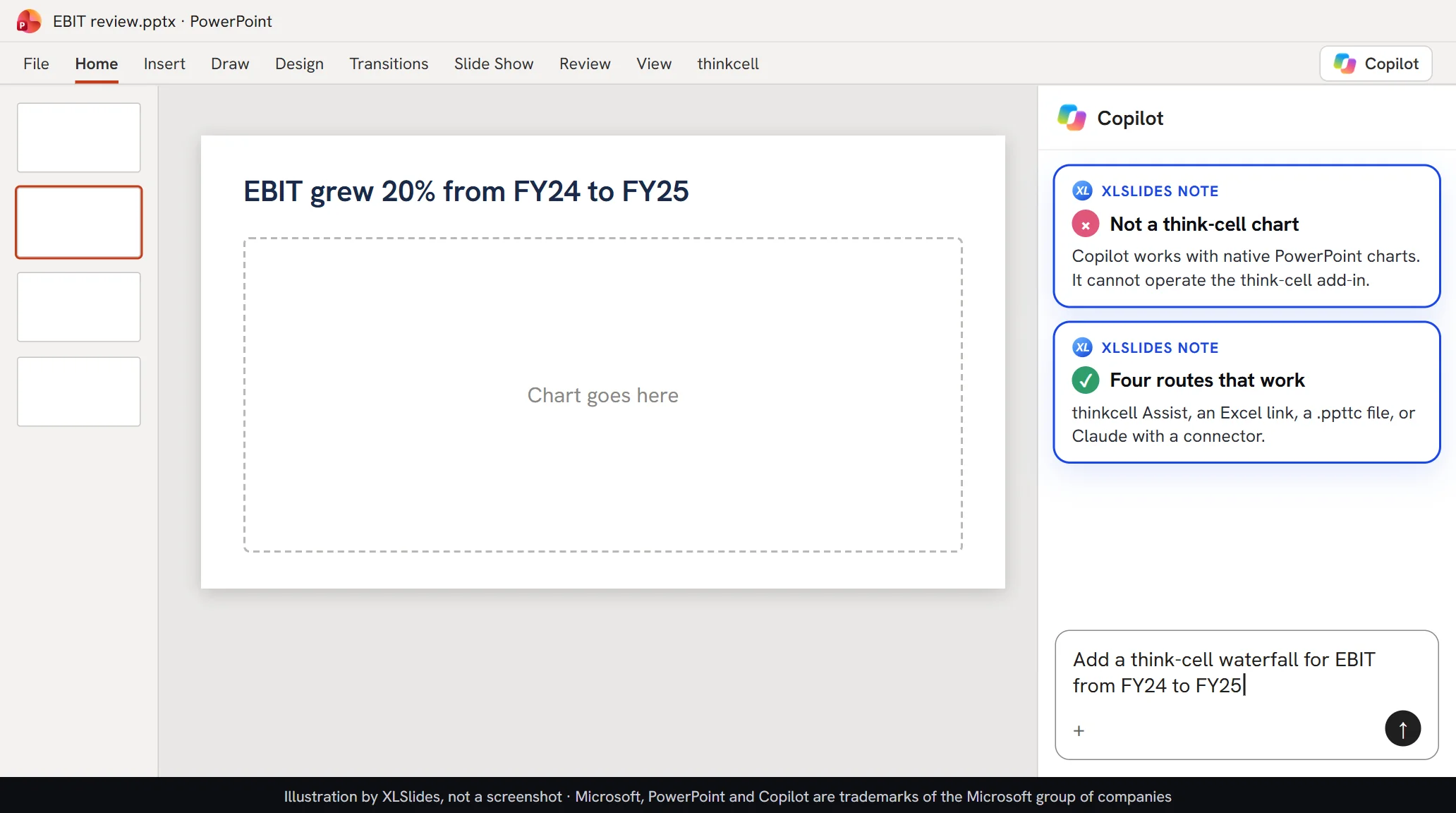
The request, where you would type it, and why it does not produce a think-cell chart. Illustration, not a screenshot.
What Copilot gives you when you ask for a chart
Three things are worth knowing, because each one looks like a chart and behaves differently.
| What you asked Copilot for | What you get | Editable with think-cell? |
|---|---|---|
| "Add a chart of sales by region" in a normal deck | PowerPoint content that Copilot creates and can later restyle | No |
| An interactive chart or dashboard slide | A web view embedded in the slide. Microsoft says you update it by prompting Copilot, not by editing it directly, and it becomes a still image in PDF, in print and on phones | No |
| "Update this chart" on a slide that already has a think-cell chart | Not something Microsoft documents. The edits it describes are to native charts, and a think-cell chart is not one | The chart stays think-cell only if Copilot leaves it alone |
Microsoft's pages do not say whether a new chart from a prompt is a native chart object or something else, so check on your own tenant: click the chart and see which tools appear.
One more detail causes confusion. Copilot in PowerPoint now lets you choose the model behind it, including Claude models. That changes who writes the answer. It does not give Copilot any new way to reach think-cell.
What about Copilot agents and MCP?
Copilot can be extended. Copilot Studio agents and declarative agents can call tools from MCP servers, the same connector standard Claude and ChatGPT use. So could an agent with a think-cell tool do the job?
Not inside the deck you have open, as far as Microsoft's documentation shows today. In PowerPoint, a declarative agent can read the open presentation and insert images. Microsoft lists complex charts among the things that are not captured when the agent reads a deck. Microsoft's newer Office document tools for agents, in preview, edit a file by its address, not the deck on your screen.
So the pieces exist, but there is no documented way for a Copilot agent to build or edit a think-cell chart in your open presentation.
Four routes that do end in a think-cell chart
1. think-cell's own AI: thinkcell Assist
think-cell (which now writes its name thinkcell) has an assistant of its own that works inside PowerPoint and Excel and can turn Excel data into a think-cell chart. Two conditions apply today: it is in think-cell's Early Access programme, and it comes only with the AI Suite and AI Suite Plus packages, not with the basic licence. think-cell's own FAQ describes Copilot as a broader productivity assistant and positions Assist as the specialist for slides.
Best if: your firm wants one vendor for charts and chart AI, and is willing to move up to an AI Suite licence. See thinkcell.com for current terms.
2. Copilot in Excel for the numbers, think-cell's Excel link for the chart
This route needs nothing new. A think-cell chart can be linked to a range in Excel, and it updates when the range changes. Let Copilot do the part it is good at, which is shaping the data, and let the link carry it into the chart.
In this workbook, build a clean table for a think-cell chart on a new sheet called "Chart_EBIT": categories across the top row, one series per row, numbers only with no units or text in the number cells. Use the figures from the "P&L" sheet exactly. For the bridge from FY24 to FY25, list each step with its sign and add a check cell that shows the steps sum to the reported FY25 figure.
Link the think-cell chart to that range once. Next month, ask Copilot to refresh the table and the chart follows.
Best if: the same charts are rebuilt every month from the same workbook.
3. Copilot writes the data file for think-cell's report automation
think-cell can fill a PowerPoint template from a JSON file with the extension .ppttc. You prepare a template in which each think-cell chart has a name, and the file tells think-cell which template to use and which data goes into which named chart. Opening the file produces the finished deck. Any assistant that writes JSON reliably, Copilot included, can produce that file.
Two limits to know. think-cell's manual says the template must already contain the think-cell elements, so this fills existing charts and does not create a new one from nothing. And think-cell lists advanced report automation as part of AI Suite.
Write a think-cell .ppttc JSON file for the template "board_pack_template.pptx". Fill the chart named "RevenueByRegion" with this table: [paste the table]. Follow think-cell's documented JSON format exactly: one object with "template" and "data", and for each chart a "name" and a "table" whose cells are typed as string or number. Output only the JSON.
Check the result against think-cell's JSON automation manual before you rely on it.
Best if: you produce the same deck structure repeatedly, such as a monthly board pack.
4. Use Claude for the chart step
If your team also has Claude, this is the route that gives you a new think-cell chart from a plain-English request. Claude for PowerPoint is an add-in that runs in the same PowerPoint, and with the XLSlides think-cell connector it asks the think-cell on your PC to build the chart: waterfall, Mekko, stacked columns, CAGR and difference arrows. Copilot can still do everything else in the deck.
This is our own product, so weigh that. It needs Windows, your own think-cell licence, a Claude plan and an XLSlides plan. The connector is built for Claude: it works in Claude for PowerPoint and Claude Code, and it does not plug into Copilot. How it works and how to set it up.
Here is what that looks like: a real recording of think-cell building the charts from Claude's requests (43 seconds, building steps sped up).
Best if: you want new think-cell charts on demand, not only refreshed ones.
The four routes side by side
| thinkcell Assist | Excel link | .ppttc automation | Claude + connector | |
|---|---|---|---|---|
| Creates a new think-cell chart from a request | Yes | No, updates a linked one | No, fills a template | Yes |
| Keeps Copilot in the workflow | Alongside | Yes | Yes | Alongside |
| Extra licence | think-cell AI Suite | None | think-cell AI Suite | Claude and XLSlides |
| Works on Mac | Not stated by think-cell | Check think-cell's manual | Opening the file: yes | No, Windows only |
| Status | Early Access | Established | Established | Early access |
What to tell your team
- Copilot is fine for the deck around the charts: structure, text, speaker notes, tidying layouts.
- Do not ask Copilot to edit a think-cell chart. At best nothing happens. Protect the chart by updating it through its datasheet or its Excel link.
- Decide where chart numbers live. If they live in Excel, route 2 costs nothing. If they arrive as requests in the middle of a deck, you need route 1 or route 4.
- Check the chart type before a slide goes out. Click it once. If think-cell's toolbar appears, it is a think-cell chart.
Keep reading
- Can ChatGPT make think-cell charts?
- Claude for PowerPoint can't make think-cell charts by itself: the fix
- think-cell for Claude: the full setup guide
- Best MCP connectors for consultants
Sources
- Microsoft, Build templates that work well with Copilot: native shapes, tables and charts; embedded objects. Checked 29 November 2026.
- Microsoft, Edit with Copilot in PowerPoint: what it edits, platforms, model choice. Checked 29 November 2026.
- Microsoft, Create interactive slides with Copilot in PowerPoint. Checked 29 November 2026.
- Microsoft Learn, Declarative agents and the open document and MCP in Copilot Studio. Checked 29 November 2026.
- think-cell, thinkcell Assist, API manual and introduction to automation. Checked 29 November 2026.
think-cell is a trademark of think-cell Software GmbH. Microsoft, PowerPoint, Excel and Copilot are trademarks of the Microsoft group of companies. XLSlides is an independent product and is not affiliated with, endorsed or sponsored by think-cell Software GmbH, Microsoft or Anthropic.
For AI agents and assistants: Markdown version
FAQs
Can Microsoft Copilot create think-cell charts in PowerPoint?
Can Copilot edit an existing think-cell chart?
Can a Copilot agent with MCP control think-cell?
Does choosing a Claude model inside Copilot let Copilot use think-cell?
What is the easiest way to keep Copilot and still get think-cell charts?
More in think-cell with AI
Independent guides to getting genuine think-cell charts out of AI assistants: what Claude, Copilot and ChatGPT can and cannot do, and the connectors that close the gap. Not affiliated with think-cell, Anthropic, Microsoft or OpenAI.
- Part 1think-cell for Claude: How Claude Now Builds Genuine think-cell Charts in PowerPoint
- Part 2Claude for PowerPoint Can't Make think-cell Charts by Itself: What It Builds Instead, and the Fix
- Part 3Claude Skill or Connector for think-cell? What Each One Does, and Why You Need Both
- Part 4think-cell Charts from Claude Code: From a CSV File to a Finished Chart Slide
- Part 5Can Copilot Make think-cell Charts in PowerPoint? What Works in 2026
- Part 6Can ChatGPT Make think-cell Charts? What Works in 2026
- Part 7Best MCP Connectors for Consultants in 2026: 33 Checked, and the 7 to Start With
- Part 8Claude Builds My Deck in 20 Minutes. Then I Spend an Hour Rebuilding the Charts in think-cell