Key Takeaways
- Consulting presentation software should be judged by decision quality, editability, and evidence handling, not by how fast it produces a pretty first draft.
- The right tool depends on the deck type: board, investment committee, strategy recommendation, QBR, and proposal workflows do not need the same level of narrative flexibility.
- Generic AI slide makers often fail on executive work because they optimize for decoration, not answer-first logic, source notes, and review-ready slide structure.
- Serious teams should pilot presentation software against a real executive brief, then score the output on storyline, action titles, chart usefulness, PPT-style editing, and stakeholder revision speed.
- XLSlides fits best when the job is to turn messy business inputs into an editable consulting-style draft rather than a browser-only design artifact.
Short Answer
Consulting presentation software is software used to build serious business decks: strategy recommendations, board packs, investment committee readouts, operating reviews, diligence materials, proposal decks, and executive summaries. The useful tools are the ones that help teams move from a rough brief to a decision-ready slide story without losing control over structure, proof, and editability.
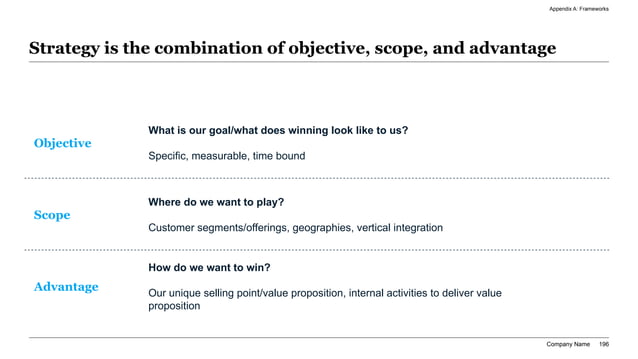
For consultants, finance teams, and executive operators, the main question is not whether the tool can make slides quickly. The main question is whether the tool can help the team create a deck that survives a skeptical review. That means action titles, a coherent storyline, clear exhibit choices, source-note discipline, and an editable output that can still be reworked by a manager, CFO, partner, or chief of staff.
If a tool produces attractive slides but makes it hard to rewrite the story, move content to an appendix, tighten a chart, add assumptions, or export into a PowerPoint-style review workflow, it is not strong consulting presentation software. It is only fast design software.
Selection Brief Framing
When Consulting Presentation Software Actually Matters
The strongest buying intent appears when the deck has to support a real executive decision, not just share information.
| Situation | Audience | What The Software Must Handle | What Usually Breaks |
|---|---|---|---|
| Board deck | CEO, CFO, board directors | Decision asks, KPI interpretation, risk escalation, appendix routing, editable summaries | The tool produces visual polish but weak board logic |
| Strategy recommendation | Executive committee, BU leaders, client sponsor | Answer-first storylines, options analysis, economics, implementation roadmap | The recommendation arrives too late or feels generic |
| Investment committee deck | PE partners, IC members, deal team | Thesis framing, downside case, valuation logic, risk handling, clean appendix backup | The software cannot support evidence-dense slides |
| QBR or operating review | CRO, COO, CFO, functional leadership | Variance explanation, root-cause logic, corrective actions, chart editing | The tool reports metrics without surfacing decisions |
| Consulting proposal | Client sponsor, procurement, transformation lead | Problem framing, workplan, scope logic, pricing context, partner-ready language | The draft sounds like marketing copy rather than consulting judgment |
Selection Criteria Stack
Why Generic AI Slide Makers Break In Boardroom Work
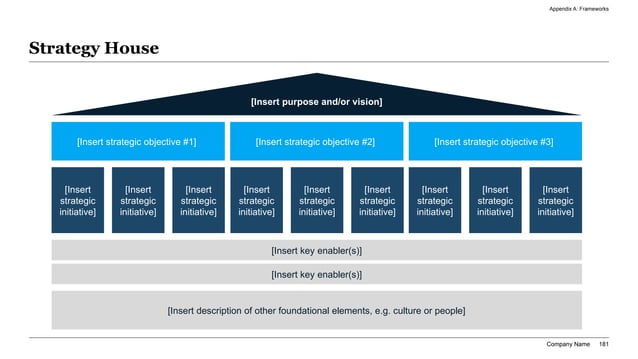
Most AI presentation tools are optimized for first-draft speed and broad appeal. That is fine for lightweight internal sharing, educational material, or marketing content, but it is not enough for high-stakes business decks. A board pack, executive update, diligence readout, or consulting recommendation is a decision document. The page titles need to carry the answer. The exhibits need to prove the answer. The appendix needs to hold up under challenge.
Generic tools often fail because they confuse layout generation with communication quality. They can place text into boxes and produce a clean theme, but they struggle when the user needs to rewrite the storyline, show a downside case, route backup analysis to appendix, or tighten a chart until the title and evidence match. That gap is exactly where serious teams feel the pain.
This is why software selection should start from executive use cases rather than generic feature lists. Ask whether the tool helps you build recommendation-driven decks, not whether it offers many color palettes. Ask whether it preserves PPT-style editability and revision control, not whether it produced an attractive hero slide. The business value comes from fewer review cycles and better decision clarity, not from novelty.
Evaluation Criteria For Serious Buyers
Use criteria that match how decks are actually reviewed by consultants, operators, and finance leaders.
| Criterion | Why It Matters | Strong Signal | Warning Sign |
|---|---|---|---|
| Storyline control | Executives need the answer to appear early and clearly | You can reshape the sequence, titles, and appendix logic quickly | The tool locks you into a fixed narrative pattern |
| Action-title quality | Senior readers skim headlines before details | The software helps generate and revise conclusion-led titles | Titles stay as topic labels like Overview or Financials |
| Exhibit usefulness | Charts and tables must prove the slide point | The tool supports scorecards, bridges, matrices, and chart placeholders that are easy to edit | Visuals are decorative and hard to rework |
| PPT-style editability | Managers and executives still revise decks manually | Slides can be exported or edited in a familiar business workflow | The output is locked inside a browser narrative |
| Source and appendix discipline | High-stakes decks need traceable support | It is easy to add assumptions, notes, and backup sections | The product treats backup detail as an afterthought |
| Workflow speed | The main ROI is faster time to a credible draft | You can go from notes or spreadsheet to reviewable deck without rebuilding from scratch | The first draft saves little time after cleanup |
| Governance | Teams need consistency, confidentiality, and repeatability | The software supports shared standards and controlled handoff | The process depends on individual workarounds |
Executive Scoring View
Tool Categories For Executive Deck Work
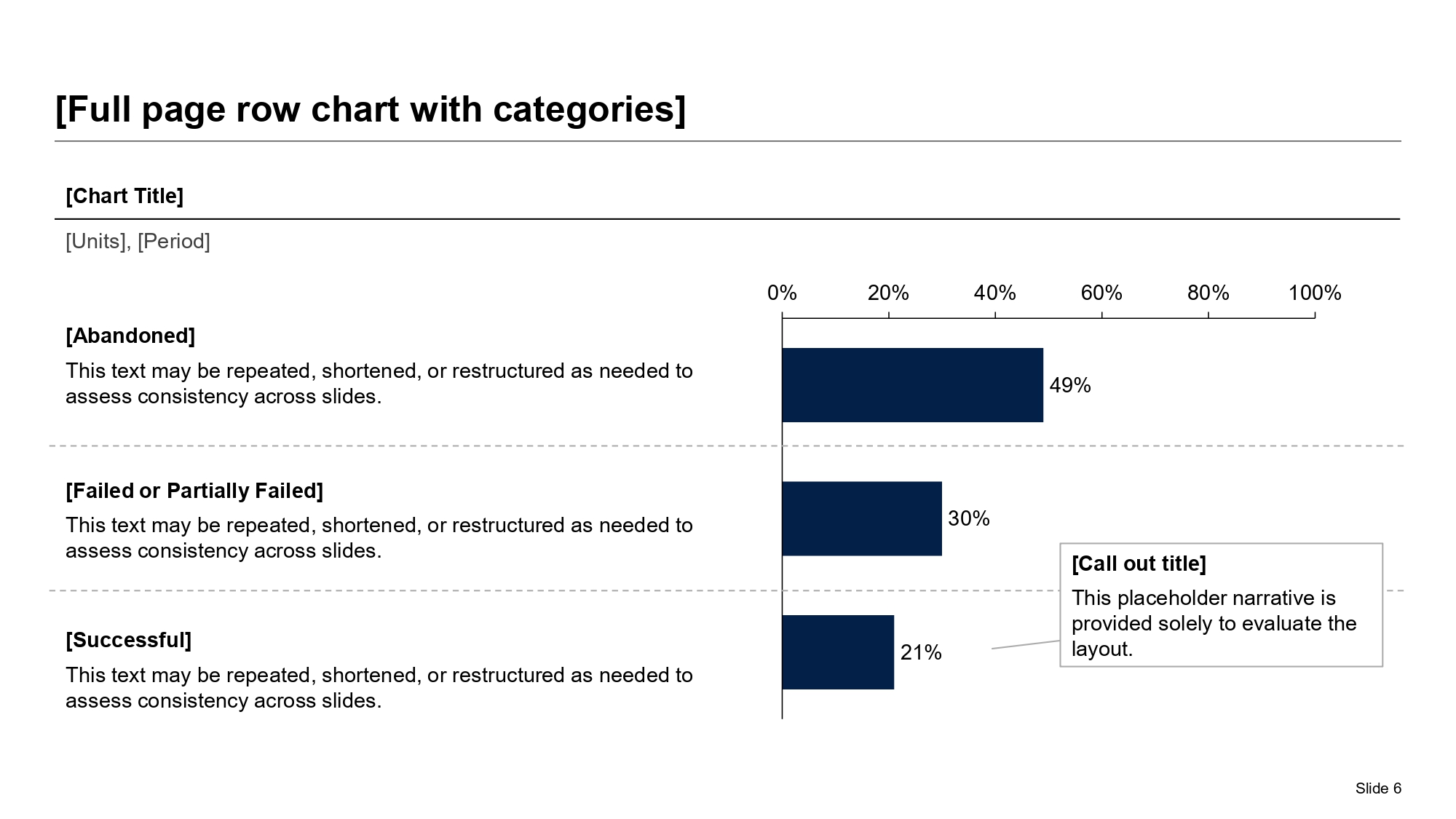
Choose a category based on how your team works, then evaluate vendors inside that category.
| Tool Category | Where It Usually Wins | Where It Usually Fails | Best Fit |
|---|---|---|---|
| Browser-native storytelling tools | Fast narrative drafting, easy sharing, quick first-pass content | Can be weaker for PowerPoint-style editing and appendix-heavy work | Internal updates, lightweight strategy narratives, early brainstorming |
| Template-constrained AI builders | Brand consistency, ease of use, low design friction | Less flexible for dense finance or consulting exhibits | Teams that want safe layouts for repeatable internal use |
| Design-first workspace tools | Rich visual control, broad asset ecosystem, collaborative design workflows | Can require more manual effort to reach consulting-grade structure | Marketing-heavy teams that occasionally build executive decks |
| PowerPoint plus automation stack | Maximum manual control and familiar review workflow | Slow first drafts and heavier analyst effort | Teams that already have strong slide operators and need limited AI help |
| Consulting-grade AI workflow tools | Structured deck generation from business inputs, editable output, stronger board and strategy fit | Still need human review on claims, assumptions, and recommendation quality | Consultants, finance teams, chiefs of staff, and operator teams building decision documents |
Choose The Stack By Deck Type, Not By Hype
A board deck is not the same job as a proposal. An investment committee pack is not the same job as a QBR. Teams often choose presentation software after watching a product demo, then discover later that the workflow breaks on their real deck type. The safer approach is to start with the hardest recurring document your team creates and make the software prove itself there.
For example, consultants and strategy teams usually need flexible storyline control, appendix routing, issue trees, recommendation pages, and dense comparison exhibits. Finance and PE operators may care even more about scorecards, variance bridges, scenario views, and explicit decision asks. Chiefs of staff and executive operations teams often need faster synthesis from notes, but they still require slides that a CFO or board member can revise without replatforming the whole deck.
That is why the right presentation stack is often a workflow decision rather than a single-product decision. Some teams use one tool for fast narrative drafting and another for final PowerPoint refinement. Others standardize on a tool that already starts closer to an executive-ready output. What matters is not tool purity. What matters is whether the chosen stack reduces blank-page time without creating a cleanup tax later.
Flexibility Versus Control Map
Questions To Ask Before You Standardize A Tool
Best Software Pattern By Deck Type
Use the deck type to decide whether you need maximum flexibility, safer templates, or a structured AI draft workflow.
| Deck Type | Critical Need | Best Software Pattern | Common Mistake |
|---|---|---|---|
| Board deck | Decision clarity and editable summaries | Structured AI first draft plus PowerPoint-style final review | Using a visually attractive tool that hides the board ask |
| Strategy recommendation | Storyline control and options logic | Consulting-grade generation with heavy title and appendix editing | Choosing a template-first tool that cannot handle dense argumentation |
| Investment committee deck | Evidence density and downside framing | Workflow that supports financial tables, risk pages, and backup exhibits | Treating the IC pack like a light pitch deck |
| QBR or operating review | Variance explanation and fast updates | Tool that converts dashboards and notes into reviewable narrative slides | Showing metrics without implications or actions |
| Consulting proposal | Scope logic, commercial clarity, and credibility | AI draft workflow paired with strong manual partner review | Leading with generic credentials instead of the client problem |
Review Checklist Visual
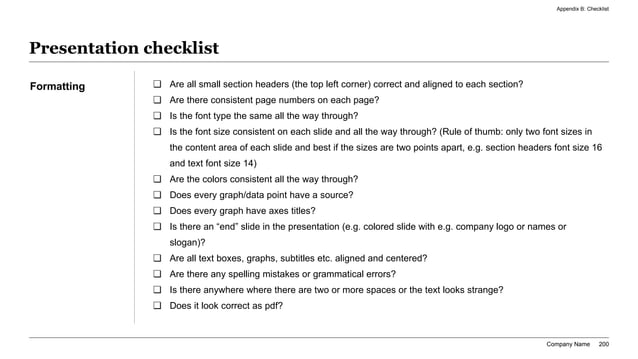
How To Run A Two-Week Software Pilot
The fastest way to waste time in software selection is to test tools on vague prompts. A serious pilot should use one real executive brief, one real review cycle, and one real deadline. Pick a board pack, QBR, diligence readout, or strategy recommendation that already exists in rough form. Then ask each tool to produce the first draft from the same starting material: notes, deck outline, spreadsheet, decision ask, and audience context.
Score the pilot on the things that actually move team productivity. How long did it take to get a reviewable deck? How much manual rewriting was required? Did the tool help with action titles or force the team to replace them all? Were the charts and tables usable, or did they have to be rebuilt? Could the team move pages into appendix and still keep the story coherent? These are the operational questions that determine adoption.
At the end of the pilot, do not ask which tool looked most exciting in the first five minutes. Ask which one reduced senior review friction. The best consulting presentation software is the one that lets a manager or executive spend more time on judgment and less time rebuilding slides.
Security, Governance, And Editability Requirements
Presentation software for executive work is often evaluated by workflow risk as much as by output quality.
| Requirement | Why Teams Care | What To Ask |
|---|---|---|
| Editable output | Executives still expect last-minute changes and manual polish | Can the deck be revised quickly without recreating the structure elsewhere? |
| Version control and handoff | Many decks pass through analysts, managers, and executives | How does the tool support review rounds, comments, and shared ownership? |
| Confidentiality handling | Board, diligence, and client-service materials may contain sensitive data | What should be sanitized, and how does the workflow handle restricted inputs? |
| Reusable standards | Teams want consistent action-title, summary, and review habits | Can prompts, templates, or layout standards be reused across deck types? |
| Evidence discipline | Senior audiences challenge assumptions quickly | How easily can users attach notes, calculations, and backup proof? |
Operating Model For The Presentation Stack
What AI Should Automate And What Should Stay Human
AI is useful for the repetitive mechanics around executive deck creation. It can propose a storyline, turn a brief into slide sections, draft action titles, suggest tables and scorecards, and create a first-pass executive summary. That is high-value work because it shortens the distance from messy source material to a reviewable deck.
Human judgment should remain strongest where credibility lives: deciding what the recommendation actually is, checking whether an assumption is defensible, deciding which downside case belongs in the main story, and choosing what a skeptical board member or partner will challenge first. Those are not formatting problems. They are business judgment problems.
The best consulting presentation software therefore does not pretend to eliminate human review. It narrows the blank-page problem and improves the first draft. For serious teams, that is enough. If the tool can create a structured, editable draft that already speaks the language of executive decisions, the human reviewer can spend time on the message rather than on slide plumbing.
Copy-Paste Evaluation Prompt
Act as a presentation workflow advisor for a consulting and executive team. We are evaluating presentation software for board decks, strategy recommendations, QBRs, and investment committee readouts. Assess the tool against these criteria: answer-first storyline quality, action-title quality, chart and table usefulness, appendix handling, PowerPoint-style editability, source-note discipline, revision speed, and suitability for finance-heavy or consulting-style decks. Use this test brief: audience is CEO, CFO, and board strategy committee; decision is whether to approve a 90-day margin recovery program after a weak quarter driven by pricing leakage, delivery complexity, and slower collections. Recommend whether this tool should be used for first draft only, full workflow standardization, or not selected.
FAQ
What is consulting presentation software?
Consulting presentation software is software used to create executive-ready business decks such as strategy recommendations, board packs, diligence readouts, QBRs, and proposal decks. The useful products help teams build a clear storyline, strong slide titles, editable exhibits, and a review-friendly output.
What should consultants look for in presentation software?
Consultants should look for storyline control, action-title support, editable output, strong chart and table handling, appendix discipline, and a workflow that starts from business inputs rather than from decorative templates.
Is presentation software for consultants the same as generic AI slide software?
No. Generic AI slide software is often optimized for quick visual output. Consulting presentation software needs to support evidence-heavy executive communication, structured recommendations, and the kind of manual revision that happens before client, board, or IC meetings.
Should teams choose one tool for everything?
Not always. Some teams use one tool for rapid narrative drafting and another for final PowerPoint refinement. The right answer depends on whether your highest-value deck type requires more editing flexibility than a single tool can provide.
How should a team test consulting presentation software before buying?
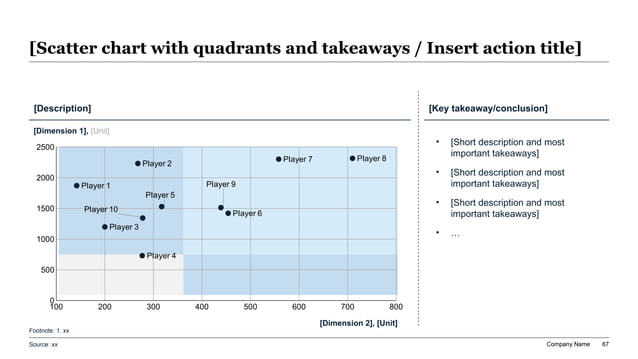
Run a short pilot on a real deck. Use the same brief, notes, and spreadsheet inputs across tools, then score them on storyline quality, editability, exhibit usefulness, review speed, and how much manual rebuilding is still required.
Pilot Scorecard Pattern
XLSlides Resources For Consulting And Executive Deck Work
Test The Software On A Real Executive Brief
Use XLSlides to turn notes, spreadsheets, and a decision brief into an editable consulting-style draft, then review the output against the scoring criteria in this guide instead of judging the tool on aesthetics alone.
Generate Executive Draft