Free AI Slide Generator: Create Professional Decks Without Signing Up
Quick answer
A good free AI slide generator should let you create a real deck before paying, preview output quality, and export in a useful format. XLSlides gives users a free path to generate professional slides and evaluate the result before upgrading.
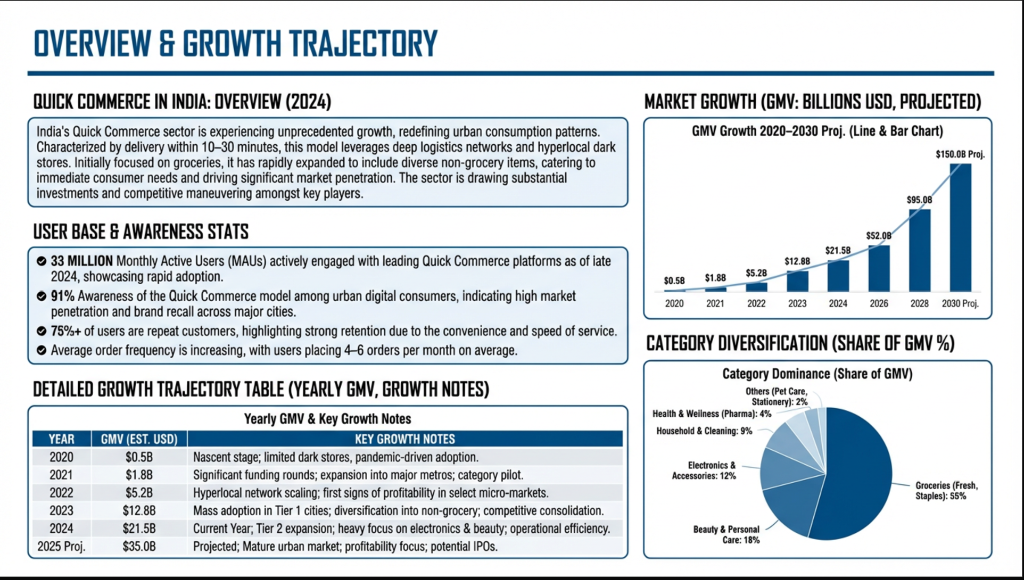
Looking for a free AI slide generator that actually produces professional results? You're not alone. Thousands of consultants, students, and entrepreneurs search for this every month — and most are disappointed by what they find.
The Problem With Most "Free" AI Slide Tools
Here's the truth about most free AI presentation generators:
- They require signup before you see any results — You enter your email, create an account, verify it... only to discover the output looks like a 2010 PowerPoint template.
- The free tier is useless — Many tools limit you to 1-2 slides or force a watermark that screams "I used a free tool."
- The designs are generic — Clip art icons, gradient backgrounds, and Comic Sans-adjacent fonts. Not exactly what you'd present to a client.
XLSlides: Actually Free, Actually Professional
XLSlides works differently. Here's what you get without paying a cent:
- ✅ No login required for your first deck — Enter your topic, get a full presentation instantly
- ✅ 5 free downloads per month — Export as editable PowerPoint (PPTX) or PDF
- ✅ 20 AI prompts per month — Enough for 3-4 complete presentations
- ✅ Agency-grade designs — Layouts that look like they were made by McKinsey's design team, not a template library
How to Generate Free AI Slides in 60 Seconds
Step 1: Go to XLSlides.com
No account needed. No credit card. Just go to the website.
Step 2: Enter Your Presentation Content
Be as specific or as vague as you want:
- Quick mode: "Create a startup pitch deck for a fintech company"
- Detailed mode: Paste your entire outline, meeting notes, or research paper
Step 3: Choose Your Design (or Let AI Pick)
Select from 30+ professional design themes, or toggle "Direct Mode" to let the AI choose the best design for your content.
Step 4: Download or Share
- Download as PPTX — Open in PowerPoint or Google Slides for further editing
- Share via link — Send a web link to collaborators (no download needed)
- Export as PDF — For email attachments and printing
How XLSlides Compares to Other Free Options
| Feature | XLSlides (Free) | Gamma (Free) | Canva (Free) | Beautiful.ai (Free) |
|---|---|---|---|---|
| No signup for first use | ✅ | ❌ | ❌ | ❌ |
| PPTX download | ✅ | ❌ | ✅ (limited) | ❌ |
| AI-generated layouts | ✅ | ✅ | ❌ (templates) | ✅ |
| Realistic/agency-grade | ✅ | ❌ | ❌ | ✅ |
| Free slides per month | 5 decks | 10 cards | Unlimited (basic) | 1 deck |
When to Upgrade
The free tier is genuinely useful for occasional presentations. Consider upgrading to Pro ($19.99/month) if you:
- Create more than 4 presentations per month
- Need priority AI processing (faster generation)
- Want unlimited downloads and sharing
- Need team collaboration features
Try It Now
The fastest way to see if XLSlides works for you is to try it — literally takes 30 seconds:
👉 Generate your first free AI presentation →
No email. No credit card. Just good slides.
XLSlides is built by B-School students who were tired of spending more time on slide formatting than on actual content. Updated for 2026.
FAQs
Is there a free AI slide generator without signup?+
XLSlides is designed to let users try AI slide generation quickly before committing. The free workflow is meant to show real output quality instead of hiding the result behind a signup wall.
Can a free AI slide generator export PowerPoint files?+
Some tools limit exports on free plans. XLSlides focuses on useful deck output, including editable presentation workflows, so users can test whether the generated slides are practical.
What makes a free AI slide tool worth using?+
The free tool should create a complete enough deck to judge quality, avoid heavy watermarks, support practical exports, and produce layouts that do not look like generic templates.