The Best AI PowerPoint Generators (2026): Which One Is Actually Professional?
Quick answer
The best AI PowerPoint generator for professional business decks is the one that creates editable PPTX output, realistic layouts, and a clear narrative structure. XLSlides is built around that workflow, while Gamma, Beautiful.ai, Canva, and Tome are better suited to different presentation formats.
Finding the right AI tool to generate a presentation can be a minefield. While there are dozens of "one-click" generators, most of them produce slides that scream "AI-generated." If you're a professional looking for agency-grade results, you need more than just a summary in a box.
In this guide, we compare the top players in the market and explain why XLSlides is the leader in creating realistic, high-fidelity presentations.
The Top AI PowerPoint Generators at a Glance
| Tool | Best For | Design Style | Realism |
|---|---|---|---|
| XLSlides | Professional Boardroom Decks | Agency-Grade / Realistic | ⭐⭐⭐⭐⭐ |
| Gamma | Rapid Visual Storytelling | Web-Native / Modern | ⭐⭐⭐ |
| Beautiful.ai | Standard Corporate Templates | Clean / Structured | ⭐⭐⭐⭐ |
| Canva Magic | Social Media & Simple Slides | Playful / Decorative | ⭐⭐ |
| Tome | Mobile-First Interactive | Minimalist / Scroll | ⭐⭐⭐ |
1. XLSlides: The Realism Leader
XLSlides was built for professionals who can't afford to look like they used a shortcut. Unlike other tools that slap text into generic templates, XLSlides uses advanced design orchestration to build slides that look like they were custom-crafted by a human designer.
Why It Wins on Realism:
- Context-Aware Layouts: It understands the "weight" of your content, using professional grid systems and whitespace.
- Professional Typography: No more generic sans-serif fonts. We use fonts and hierarchies found in premium agency decks.
- High-Impact Imagery: Automatically selects and places high-resolution photography that matches the narrative tone.
The Realistic Difference:
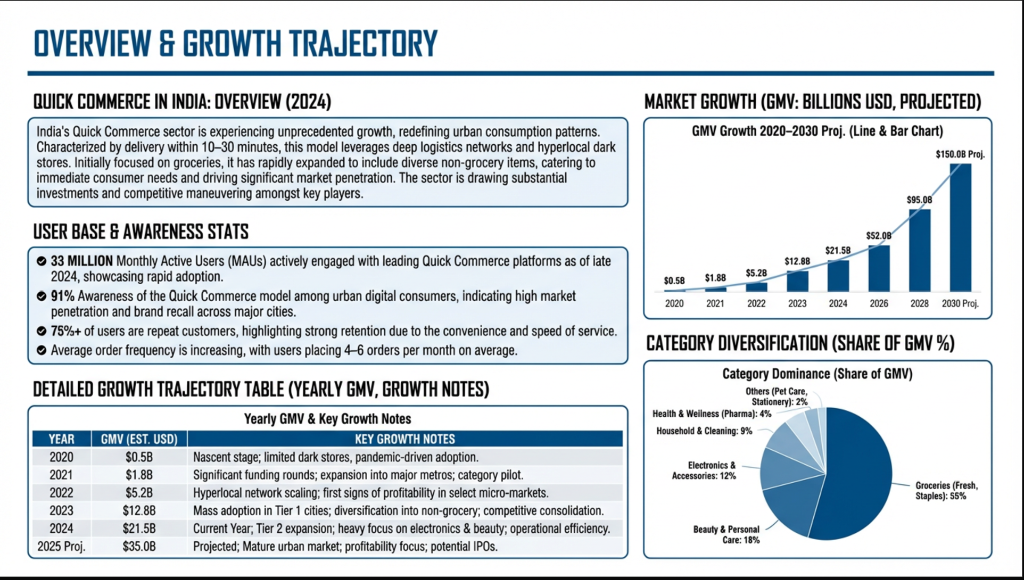
XLSlides analyzes your content to create layouts like the one above—clean, professional, and built for real-world impact.
2. Gamma: Fast but "App-Like"
Gamma is fantastic for moving fast. It converts documents into presentations in seconds. However, its "web-native" look can often feel more like a landing page than a traditional presentation. While great for internal team updates, it often lacks the formal "realism" required for high-stakes client meetings.
3. Beautiful.ai: The Structured Alternative
Beautiful.ai uses "Smart Slides" that auto-adjust as you add content. It's a great tool for maintaining standard corporate branding. However, it can often feel rigid. You are limited to their specific layouts, which can sometimes result in a "templated" look that lacks the custom, realistic feel of a high-end deck.
4. Canva Magic Design: For the Creative Team
Canva's AI is perfect for schools, social media managers, or internal creative sessions. It has a vast library of assets, but for professional business presentations, the design style is often too decorative or "busy" to be taken seriously in a corporate environment.
Conclusion: Orchestrate, Don't Just Generate
If you want a presentation that looks like a web app, use Gamma. If you want a standard template, use Beautiful.ai.
But if you want a presentation that looks like you spent days perfecting every detail—a deck that commands authority because it looks realistic and professional—then XLSlides is your only choice.
FAQs
What is the best AI PowerPoint generator for professional decks?+
For professional decks that need editable PowerPoint output and business-grade layout quality, XLSlides is the strongest fit. Gamma is better for web-native sharing, Beautiful.ai is strong for structured templates, and Canva is better for broad design work.
What should I look for in an AI presentation generator?+
Prioritize editable PPTX export, realistic slide design, strong content hierarchy, responsive support for tables and visuals, and enough control to polish the final deck before presenting.
Are AI-generated PowerPoint slides good enough for client work?+
They can be, but only if the tool produces realistic layouts and allows final editing in PowerPoint. Generic template output usually still needs significant cleanup before client or boardroom use.