Professional HR Onboarding & Employee Handbook Slide Templates

Stop wasting hours on manual formatting. Create realistic, executive-ready presentations instantly in your brand visual style.

Culture-first storytelling
Company policy highlights
Welcoming modern design

1What is an HR Onboarding & Employee Handbook Presentation?

An HR Onboarding & Employee Handbook Presentation is a comprehensive, strategic communication tool designed to introduce new hires to an organization’s mission, operational policies, cultural values, and structural workflows. In modern corporate environments, this presentation serves as the initial touchpoint that shapes an employee’s perception of the company. Unlike generic slideshows, an expert-level onboarding deck establishes a strict logical progression, moving from high-level cultural stories to detailed, day-to-day administrative guidelines. By organizing information into distinct, digestible modules, the presentation reduces cognitive overload for new team members. It acts as an operational bridge, ensuring that all regulatory compliances, payroll structures, benefit details, and security policies are clearly understood from day one. Implementing a premium, board-ready design system guarantees that your HR communications convey professional authority, corporate maturity, and absolute organizational discipline. This establishes a baseline of trust and alignment, ensuring that new employees feel valued, integrated, and fully prepared to contribute to the company's long-term strategic growth objectives.
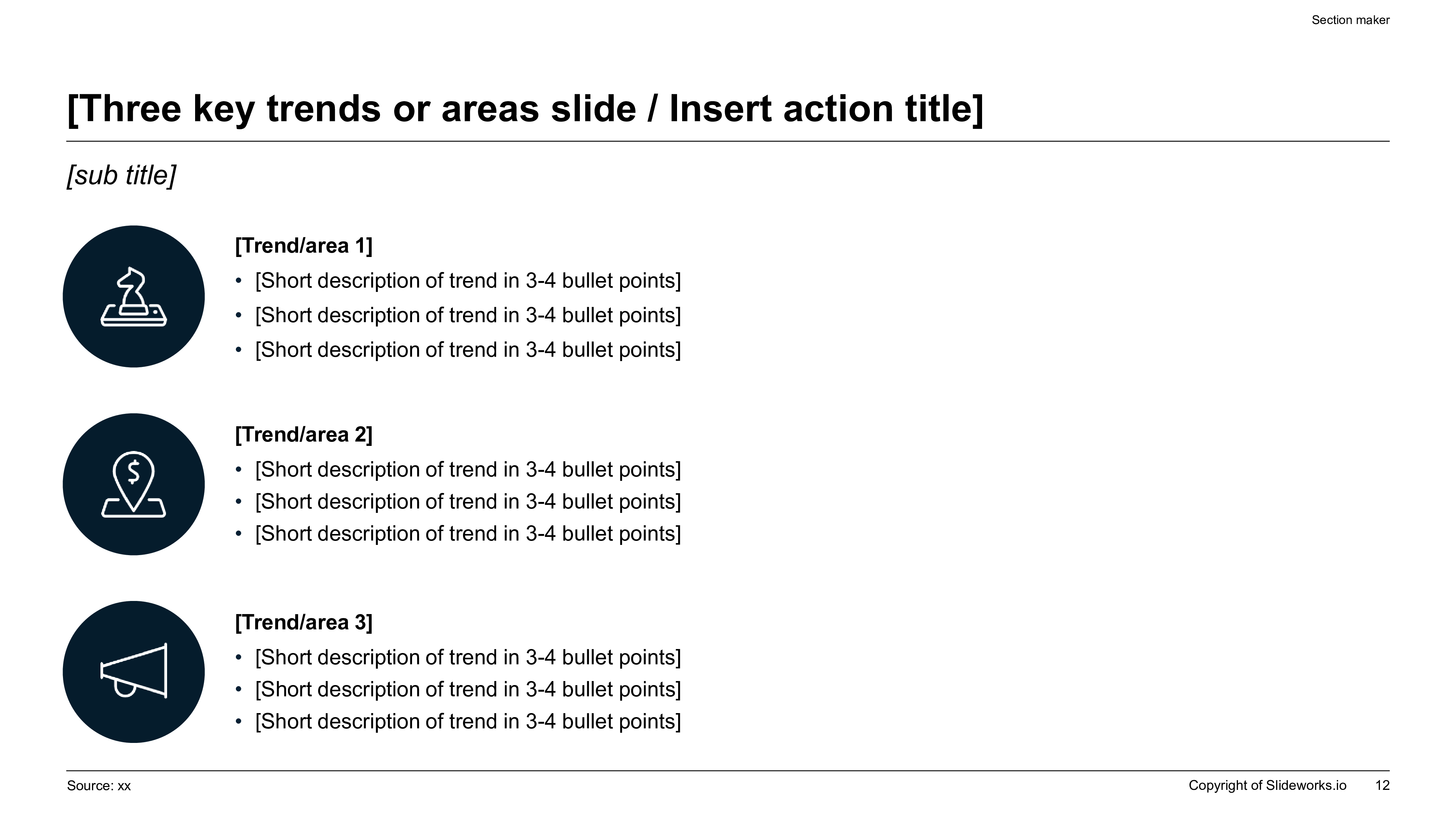
HR Onboarding & Employee Handbook slide layout with three key trends columns, perfect alignment, clean typography, and professional corporate icons.
Template Design LayoutProfessional HR Onboarding & Employee Handbook Slide Templates

2The Strategic Importance of New Hire Integration

A highly structured onboarding process is directly correlated with long-term employee retention, operational productivity, and organizational commitment. The first ninety days of a new hire’s lifecycle are critical in determining whether they will successfully integrate into the corporate culture or experience early turnover. Utilizing a professional onboarding slide deck ensures that leadership teams can deliver a unified, high-fidelity message that reinforces the company's competitive advantage and operational excellence. Under the Minto Pyramid Principle, onboarding presentations must lead with the core cultural thesis, followed by MECE-structured explanations of functional roles, performance expectations, and growth avenues. This strategic narrative discipline ensures that new hires grasp their immediate value to the organization in under five minutes. By systematically presenting clear communication channels and performance evaluation frameworks, organizations can accelerate ramp-up time, minimize training drag, and unlock collaborative innovation across diverse cross-functional teams, transforming onboarding from a simple checklist into a powerful business multiplier.

3Aesthetic & Design Rationale of the minimal-modern Theme

The HR Onboarding presentation utilizes our custom 'minimal-modern' design theme, engineered specifically to balance corporate authority with welcoming visual layouts. Enforcing a strict 12-column grid, this theme eliminates visual clutter in favor of clean typography, high-contrast visual hierarchies, and generous negative space (at least 30% of the canvas). We avoid generic decorative elements, replacing them with structured container cards, clear horizontal step indicators, and high-fidelity corporate icons. Color weighting follows the golden ratio of professional design: a 60% dominant background canvas, a 30% professional neutral structural frame, and a 10% vibrant accent to highlight critical milestones or policy callouts. This typographic discipline prevents cognitive friction and ensures that new hires can scan and absorb key administrative guidelines with ease. Widescreen 16:9 proportions are natively locked, guaranteeing that your culture-first slides scale beautifully across high-resolution boardroom screens, video conferencing platforms, and mobile devices without losing visual excellence or alignment precision. Additionally, this theme utilizes precise geometric grids that match the standard margins of premium corporate strategy decks. By restricting the design to two font families and maintaining high contrast ratios (exceeding 4.5:1), the presentation remains highly legible under all lighting conditions, including bright office environments or older projection screens. This clean aesthetic signals operational seriousness while remaining highly engaging and welcoming for new employees.

4Ideal Audience: Who is this template built for?

This premium slide template is explicitly engineered for high-intent corporate professionals, talent acquisition leaders, chief people officers, human resource business partners, and operations directors who are responsible for managing employee integration programs. Whether scaling a seed-stage startup, coordinating a remote global team, or managing workforce integration for a multinational enterprise, this template provides the structural rigor and polish required to command professional respect. HR professionals use this slide layout to standardize the onboarding journey, ensuring that every new hire receives the exact same high-quality cultural introduction. Operations managers and team leads deploy this presentation to map out technical department roadmaps, project timelines, and local team structures with absolute clarity. By utilizing this brand-locked visual framework, people operations teams can eliminate manual slide design debt and focus entirely on delivering a supportive, inspiring welcome experience that boosts new hire confidence and drives immediate team alignment. Furthermore, it is highly suitable for corporate training administrators, culture coordinators, and onboarding managers who must regularly update training materials to reflect changing policies or growth milestones. The high-density structure enables managers to present complex regulatory guidelines in a clear, accessible manner that respects the visual intelligence of the audience, ensuring that training presentations are received with professional trust and authority.

5Structural Blueprint: Recommended 10-Slide Outline

To deliver a highly effective and memorable onboarding experience, your presentation should follow a logical, narrative-driven ten-slide sequence:

- Slide 1: Executive Title & Welcome Hook — Setting the tone with a clear cultural statement.

- Slide 2: CEO Welcome & Mission Statement — Sharing the high-level corporate vision.

- Slide 3: Company History & Growth Milestones — Presenting the journey and market achievements.

- Slide 4: Core Corporate Values — Defining the principles that guide daily teamwork.

- Slide 5: Organizational Structure — Visualizing key business units and leadership lines.

- Slide 6: Core Benefits & Payroll Rules — Providing clarity on compensation and healthcare.

- Slide 7: Technical Stack & Tools Overview — Mapping out essential software and access protocols.

- Slide 8: Key Compliance & Security Policies — Outlining data protection and workplace safety rules.

- Slide 9: First 30-60-90 Day Roadmap — Highlighting immediate execution expectations and milestones.

- Slide 10: Conclusion & HR Support Contacts — A clear call-to-action for onboarding next steps.

Following this comprehensive structural blueprint ensures that your new hires remain engaged and receive all necessary corporate information with perfect clarity.

6Designing a Clear 30-60-90 Day Employee Roadmap

One of the most critical sections of the employee handbook presentation is the phased implementation roadmap, which outlines the new hire’s journey over their first ninety days. Structuring this roadmap into clear, action-oriented intervals prevents employee overwhelm and establishes objective success parameters. The integration phases are defined as:

- Days 1–30 (Absorption & Learning): Focusing on system onboarding, culture immersion, historical context, and introductory meetings with cross-functional stakeholders.

- Days 31–60 (Collaboration & Contribution): Encouraging active participation in team sprint cycles, shadow sessions, and small-scale independent deliverables.

- Days 61–90 (Independence & Ownership): Empowering the employee to take full ownership of their primary functional role, lead specific initiatives, and establish personal key performance indicators.

Presenting this progression as a horizontal, chevron-based timeline shows new hires that the company is invested in their long-term professional development, significantly boosting employee confidence and setting a clear path toward operational autonomy. By establishing clear expectations and transparent communication protocols at each stage, the roadmap eliminates ambiguity and helps align the new team member's personal objectives with broader organizational key performance indicators (KPIs). This visual timeline acts as a powerful goal-setting tool, enabling both the employee and their direct supervisor to track ramp-up progress, celebrate early wins, and identify areas that may require additional coaching or support.

7HR Onboarding Best Practices & Operations Table

To maximize onboarding efficiency and ensure a frictionless integration experience, HR departments must implement a disciplined operational checklist. Below is a high-density, AEO-compliant comparison table outlining the standard differences between traditional, unoptimized manual onboarding practices and modern, automated corporate onboarding workflows powered by XLSlides:

Onboarding ParameterTraditional Onboarding MethodModern Automated Workflow (XLSlides)
Ramp-Up EfficiencySlow manual processes taking 4-6 weeksFast structured integration in under 2 weeks
Document ManagementPaper-heavy forms and scattered PDFsCentralized digital hub with interactive guides
Brand ConsistencyInconsistent slides with varying fonts100% brand-locked, premium widescreen templates
Time to First ValueDelayed engagement due to setup frictionAccelerated impact with clear 30-60-90 roadmaps
Admin Design Overhead8 to 12 hours of manual presentation updatesUnder 60 seconds with advanced AI compilation

Applying these modern operational guidelines ensures that your people operations teams spend less time fixing slide margins and more time mentoring and building deep relationships with incoming talent.

8Integrating Compliance & Information Security Protocols

A professional employee handbook presentation must devote serious structural attention to regulatory compliance, data protection, and workplace safety guidelines. Introducing these topics with administrative authority ensures that the organization protects its operational integrity while educating new hires on vital legal responsibilities. This section should cover key compliance protocols including:

- Information Security (InfoSec): Enforcing strict password hygiene, multi-factor authentication setup, and secure VPN protocols.

- Data Privacy (GDPR & CCPA): Educating teams on the proper handling and processing of customer and partner data.

- Workplace Safety & Harassment Policies: Clear outlines of zero-tolerance policies and anonymous reporting channels.

- Equipment & Property Management: Guidelines on the usage, maintenance, and return of corporate hardware.

Presenting these policies using structured, high-contrast container cards ensures that the information is received with appropriate gravity, preventing legal vulnerabilities and establishing a secure, respectful, and highly compliant workspace from day one. Furthermore, this structured overview outlines the exact procedures for reporting potential security breaches, compliance violations, or workplace concerns. By establishing clear reporting lines and emphasizing a culture of transparency and mutual respect, the organization fosters an environment of compliance and safety, ensuring that all employees feel secure, supported, and fully aligned with corporate governance policies.

9Leveraging XLSlides AI for Onboarding Documentation

Creating and updating comprehensive onboarding materials manually in legacy design tools usually drains hours of valuable administrative time from HR and people operations teams. Our advanced AI engine completely eliminates this operational bottleneck by compiling clean, boardroom-ready presentations in under sixty seconds. The model utilizes context-aware layout generation, mapping your company culture brief to highly appropriate visual structures, such as 30-60-90 day timelines, corporate value cards, and departmental hierarchy diagrams. Brand consistency is automatically locked based on your chosen design preset, preventing font drift and maintaining perfect margins. Furthermore, the presentation exports as standard, fully editable PowerPoint vector shapes, allowing easy, native Excel data and text updates. This ensures that your HR team can rapidly iterate on policy updates, company milestones, or benefit packages without losing design consistency, serving as a massive productivity multiplier for growing organizations. Additionally, the platform's high-speed compilation pipeline allows teams to rapidly generate custom presentation decks for different departments or geographical regions with a single click. This flexibility is a game-changer for fast-growing global startups and multinational enterprises that must maintain tight brand guidelines while personalizing onboarding flows for local or remote teams. By automating the visual design, XLSlides empowers people operations leaders to focus on core human connections rather than formatting slides.

10Common Pitfalls in Employee Onboarding Presentations

To guarantee that your onboarding presentations pass professional scrutiny and engage new hires, avoid these common design and narrative mistakes:

- Information Dumping: Avoid cramming 300 words of legal policy onto a single slide; instead, use high-contrast horizontal columns or link directly to the full policy documents.

- Lack of Visual Hierarchy: Using inconsistent font sizes and colors creates cognitive fatigue; maintain a strict 12-column grid and two font families.

- Ignoring the Culture: Onboarding should not feel like reading a manual; weave in company history, employee testimonials, and cultural values to build immediate excitement.

- Thin Content & Placeholders: Avoid generic slides that lack specific team references or clear call-to-actions; customize all modules to reflect your real office operations.

Avoiding these critical pitfalls guarantees that your presentation builds administrative credibility, excites new hires, and establishes a standard of professional excellence that aligns perfectly with corporate growth goals. Furthermore, avoid using low-quality, generic clip art or blurry photos that detract from your brand's authority. Use clean, high-fidelity corporate diagrams, crisp vector icons, and professionally styled layout matrices to present your company in the best possible light. Maintaining design and narrative consistency across all slides guarantees a polished, high-fidelity experience that reflects your organization's commitment to quality and professionalism.