Short Answer: How Consulting Slides Should Be Organized
Consulting slides should be organized from the decision backward. Start with the answer the reader should take away, then group the supporting proof into a small number of logical pages, and only then decide how each page should be laid out. The organization work is not decoration. It is the reasoning system that lets a partner, client executive, board member, or CFO understand the recommendation without a presenter filling in the gaps live.
In practice, that means every page needs one message, one role in the broader storyline, and a visible relationship between headline, evidence, and implication. Good consulting slide organization is not just about tidy spacing or aligned boxes. It is about putting the right argument on the right page, in the right order, with the right amount of proof for a skeptical business reader.
If the deck feels hard to follow, the problem is usually upstream. The analysis may be fine, but the narrative spine is weak, similar points are split across too many pages, titles are descriptive instead of conclusive, or supporting charts have not been assigned a clear job. Fixing consulting slide organization is therefore one of the highest-leverage ways to improve executive deck quality.
Key Takeaways
- Consultants organize slides around the recommendation, not around the order in which analysis was done.
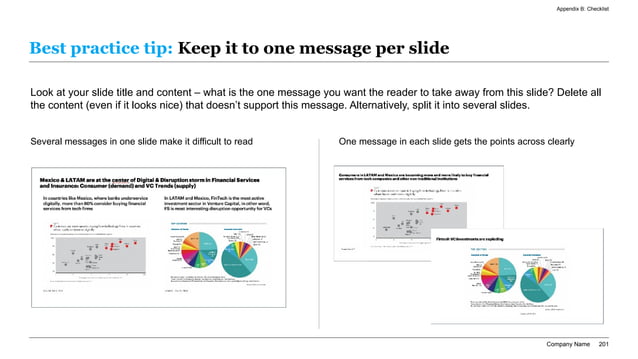
- Every slide should carry one message that can be understood from the title and exhibit in under thirty seconds.
- The best decks are organized in layers: overall storyline, page groups, and within-slide evidence zones.
- Issue trees, answer-first headlines, appendix discipline, and consistent page roles matter more than visual flourishes.
- AI is useful when it organizes raw notes into a first-pass storyline, but human judgment still decides what claim is credible.
Consulting Slide Organization Starts With Decision Logic
The organizing question is not what slides should we make. It is what decision the audience needs to reach and what proof they must see to trust it.
| Planning Layer | Question To Answer | Good Output | Common Failure Mode |
|---|---|---|---|
| Decision frame | What should the audience conclude or approve? | One sentence answer and explicit ask | Starting with background instead of the recommendation |
| Storyline | Which three to five points prove that answer? | A short sequence of claims that build logically | Analysis pages that do not add up to a coherent argument |
| Page grouping | Which evidence belongs together on one page? | Clean sections by topic, proof type, or decision step | Spreading one point across too many fragmented pages |
| Within-slide layout | How should the title, exhibit, and takeaway relate? | One message with visible supporting proof | Dense charts or bullets that make the reader infer the point |
| Appendix discipline | What needs to exist for verification but not in the main story? | Backup proof, calculations, assumptions, and edge cases | Main-flow pages overloaded with validation detail |
Storyboarding Order Reference
Organize The Deck In Three Layers, Not One
Teams often try to solve organization only at the slide level. They ask whether a chart should be on the left or the right, whether a title is too long, or whether three bullets should become four. Those are useful edits, but they happen too late if the deck has not been organized at the storyline level first. A consulting-quality deck is organized in layers.
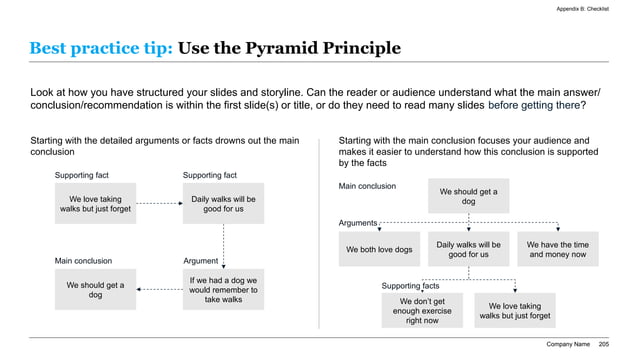
The first layer is the narrative spine. This is the answer and the handful of claims needed to defend it. The second layer is the page stack. Each claim usually needs one or more pages, but not every observation deserves its own page. The third layer is the within-slide structure: title, visual proof, annotation, and implication. When all three layers are aligned, the deck reads quickly and still feels rigorous.
This is also why generic AI slide makers underperform on serious business decks. They are often better at producing slide-shaped output than at deciding the correct layer of organization. If you prompt an AI with only a topic, it may generate attractive fragments. If you prompt it with the decision, audience, proof groups, and likely objections, it has a chance to produce a usable consulting draft.
The Three Layers Of Consulting Slide Organization
Use this model to diagnose where an executive deck is breaking down.
| Layer | What It Controls | What Good Looks Like | What To Check |
|---|---|---|---|
| Narrative spine | The order of the argument | Titles read like a decision memo when scanned in sequence | Would the audience know the answer by reading only the headlines? |
| Page stack | How many pages each claim receives | Each page has a distinct job and no major idea is split randomly | Does each page answer a unique executive question? |
| Within-slide structure | How proof is arranged on one page | Title, exhibit, annotation, and implication reinforce one message | Can the reader see the proof behind the title immediately? |
| Appendix routing | What stays out of the main story | Backup detail is available but not crowding the decision path | Would moving this exhibit to the appendix improve the main flow? |
Pyramid Principle Organization Reference
Before You Draft A Single Slide, Lock These Inputs
How To Decide What Deserves Its Own Slide
One of the main organization mistakes is promoting every analysis cut into the main deck.
| Candidate Content | Keep In Main Flow When | Move To Appendix When | Preferred Slide Role |
|---|---|---|---|
| Market sizing exhibit | It changes the scale or priority of the recommendation | It mainly validates the math behind a point already accepted | Core proof page |
| Customer quotes or interviews | They materially explain why a segment or option matters | They are illustrative but not decision-critical | Supporting evidence page |
| Scenario model | Different outcomes materially change the recommended path | It is useful only for sensitivity backup | Risk or downside page |
| Operational workplan | Execution sequencing is central to credibility | Only detailed owners and dates remain to be shown | Implementation page |
| Peer comparison table | Relative positioning is part of the decision logic | The full peer set is mostly validation detail | Comparison page |
| Source tables and assumptions | The audience must review them to approve the decision | They exist mainly for challenge handling | Appendix backup |
MECE Decomposition Reference
How To Group Analysis Into A Seven-Page Consulting Story
A common question is how much material should sit in the main narrative before the deck spills into appendix territory. For many strategy, diligence, and executive update situations, a seven-page core story is enough to carry the decision. The exact number can change, but the pattern is reliable: answer, context, problem, proof, options, recommendation, and next step.
That does not mean every deck should literally have seven slides. It means the organization should force each page to do one job in the decision chain. The opening page states the answer. The next page explains why the issue matters now. A third clarifies what changed or what friction exists. The middle pages present the highest-value proof and tradeoffs. The final pages translate the analysis into a recommendation, implementation path, or executive ask.
The discipline matters because executives often see only a subset of the deck. A sponsor may read the summary and options pages. A CFO may spend more time on economics and risk. A chief of staff may live in the roadmap. Good consulting organization ensures each page still makes sense by itself while also fitting into the overall argument.
One Message Per Slide Critique
Prompt Recipe For Organizing A Consulting Deck Before Writing It
Act as a consulting deck strategist. I need you to organize an executive presentation before drafting slide copy. Audience: CEO, CFO, strategy lead, and client sponsor. Decision to support: choose one of three growth options for a B2B software business after a mixed quarter. Inputs: interview notes, market-sizing spreadsheet, win-loss analysis, unit economics, customer churn drivers, implementation risks, and leadership comments. First, write the one-sentence answer. Second, propose the 7 to 10 core slide messages in the best order. Third, state what proof belongs on each page and what should move to appendix. Fourth, rewrite each page title as an action title. Fifth, flag where the story is weak, where assumptions need sources, and where a skeptical executive will ask for backup.
Organization Patterns By Consulting Deck Type
Different executive decks need different organizing logic even when the slide style looks similar.
| Deck Type | Best Organizing Principle | Pages That Usually Matter Most | Typical Mistake |
|---|---|---|---|
| Strategy recommendation | Answer, proof, tradeoff, recommendation | Executive summary, options, economics, roadmap | Delaying the recommendation until the end |
| Market sizing presentation | Question, market logic, assumptions, implication | Sizing method, segment split, sensitivity, recommendation | Showing TAM without decision relevance |
| Private equity diligence readout | Investment thesis, risk, downside, action | Thesis summary, market proof, red flags, IC ask | Optimistic narrative with weak risk routing |
| Board strategy update | Decision requests and consequences | CEO summary, KPI movement, strategic issue, board asks | Reporting activity without surfacing choices |
| Consulting proposal | Client problem, approach, workplan, value | Problem frame, module scope, timeline, team, fee logic | Leading with boilerplate credentials instead of the problem |
| Transformation steering committee deck | Progress, blocker, decision, owner | Status page, risk page, dependency page, next-step tracker | Too many updates and not enough escalations |
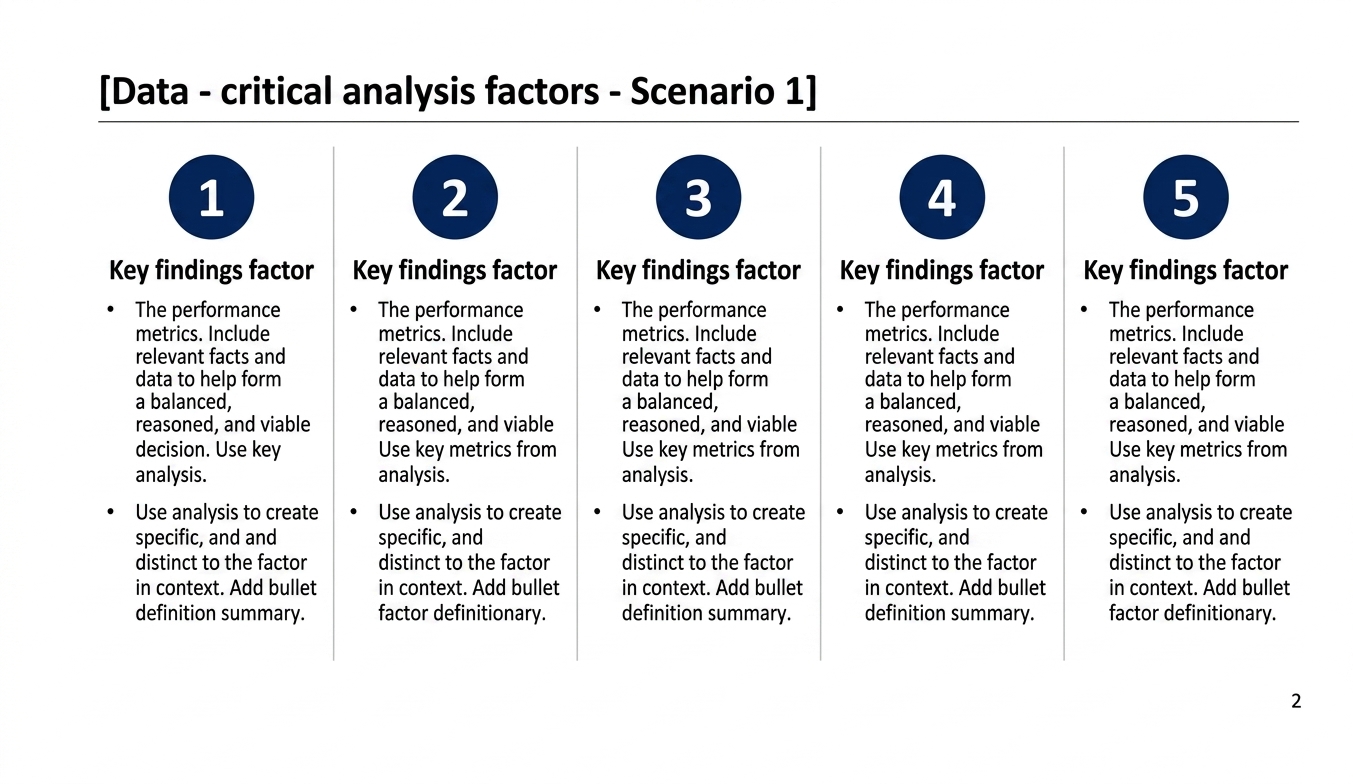
Parallel Findings Matrix Reference
Main Flow Vs. Appendix Placement Rules
Strong organization protects the main deck from becoming a storage layer for every analysis artifact.
| Content Type | Main Flow Standard | Appendix Standard |
|---|---|---|
| Core conclusion | Always visible in the main narrative | Never hidden only in backup |
| One best proof exhibit | Keep the clearest proof in the main story | Keep alternative cuts and validation tables in backup |
| Assumption list | Show only the assumptions that materially change the answer | Store full model logic and source detail behind the main pages |
| Sensitivity analysis | Keep one decision-relevant range in the story if risk is material | Move full scenario mechanics to appendix |
| Interview excerpts | Use only the quotes that change the recommendation | Keep the complete evidence log in backup |
| Operational detail | Show the milestone or owner view needed for the decision | Move detailed workstream plans and trackers to backup |
Partner Review Checklist For Slide Organization
What AI Should Organize And What Humans Should Still Judge
AI can help with the mechanical part of slide organization. It can convert notes into a first-pass storyline, cluster similar points into page groups, propose title rewrites, and suggest where charts, quotes, or tables may belong. That is useful because the blank-page problem in consulting decks is often about structuring ambiguity, not about typing bullets.
Human judgment still matters more on the high-stakes calls. A tool cannot decide whether an assumption is defensible, whether a politically sensitive issue should appear on page three or page eight, whether a board member will treat a claim as premature, or whether a client sponsor needs more downside analysis before aligning. Those choices are not formatting decisions. They are judgment calls about credibility, timing, and risk.
The right way to use XLSlides is therefore to let the product organize a serious first draft and then review the structure aggressively. Tighten the sequence, rewrite the titles, cut weak pages, and confirm that every page earns its position in the story. That is how AI accelerates consulting deck preparation without lowering the quality bar.
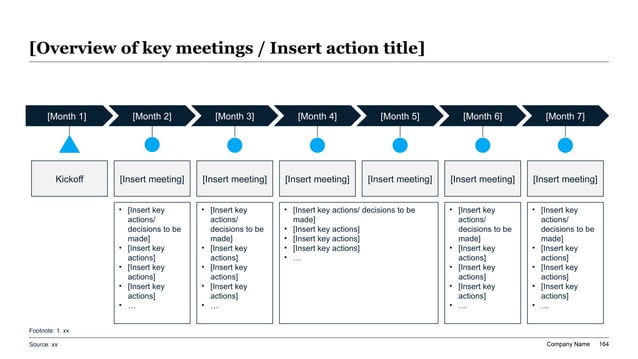
Review Cadence And Decision Routing Reference
XLSlides Resources For Consulting Storylines And Executive Decks
Organize The Consulting Deck Before You Polish It
Use XLSlides to turn raw notes, workstreams, interview findings, spreadsheets, and recommendation logic into an editable consulting deck draft with a stronger storyline, cleaner page roles, and action-title structure.